
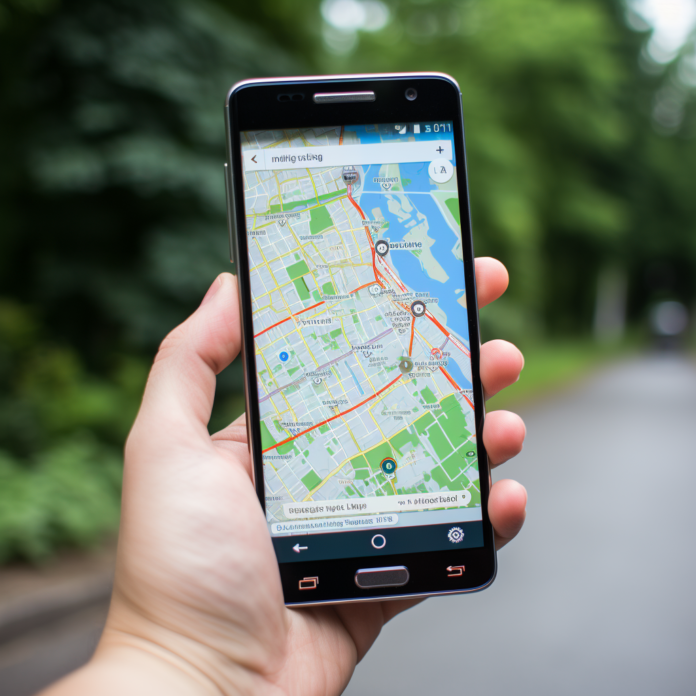
Hey there, fellow explorers! Have you ever found yourself in the middle of nowhere, trying to use your phone’s map, only to realize you have no signal? Frustrating, right? Well, fear not! The digital age has a solution for us all: offline navigation apps. Let’s dive into the world of offline navigation, exploring apps that keep us on the right path, even when the online world can’t reach us.
The Lifesavers of Travel: Why Offline Navigation Apps?
Before we get into the nitty-gritty, let’s talk about why offline navigation apps are absolute game-changers. First off, they’re your best friends in areas with spotty or nonexistent mobile coverage—think remote hiking trails, rural areas, or when you’re abroad and want to avoid hefty roaming charges. Plus, saving maps offline can be a real battery saver since you’re not constantly searching for a signal.
Google Maps: The Go-To App with an Offline Twist
Surprise, surprise—Google Maps, the king of online navigation, also offers offline capabilities. Before you head out, simply download the maps of your desired area, and voilà, you’re ready to navigate without a data connection. With Google Maps offline, you get turn-by-turn directions, search functionality, and even info on places of interest, making it a top pick for city explorers and road trippers alike.
How to Make It Work:
- Search for your desired area.
- Tap on the name or address of the place at the bottom.
- Select “Download” and choose the map area you want to save.
HERE WeGo: The Underdog with Mighty Features
HERE WeGo is another fantastic app that shines in offline mode. Originally developed by Nokia, it offers detailed maps for over 100 countries, turn-by-turn navigation, and public transit info—all available offline. It’s incredibly user-friendly, with clear, easy-to-follow directions that make getting around a breeze.
Why It Stands Out:
- Comprehensive public transit information.
- Traffic data for optimal route planning.
- Simple interface with precise navigation.
Maps.me: The Traveler’s Companion
Maps.me has long been a favorite among travelers for its extensive offline maps and navigation features. It covers every corner of the globe, from bustling cities to remote islands. Besides the basic navigation features, Maps.me offers hiking trails and points of interest, making it ideal for adventurers and city tourists alike.
Special Features:
- Detailed maps with points of interest.
- Pedestrian navigation, including hiking trails.
- Free to use, with no in-app purchases.
OsmAnd: For the Detail-Oriented Explorer
OsmAnd, based on OpenStreetMap data, is perfect for those who crave details. It offers comprehensive map data, including footpaths, bike routes, and detailed terrain information. It’s particularly popular among outdoor enthusiasts for its topographic maps and contour lines, providing valuable information for hiking, biking, or skiing.
Why Pick OsmAnd:
- Detailed maps with topographic information.
- Customizable map styles and navigation profiles.
- Offline search and navigation.
Optimizing Your Offline Navigation Experience
While having the right app is crucial, knowing how to use it effectively can make all the difference in your navigation experience. Here are some pro tips to keep in mind:
Plan Ahead
Before you venture out, take some time to download the necessary maps and routes. Consider the extent of the area you’ll be exploring and download a bit beyond just in case plans change. Most apps allow you to select the specific regions you want to save, so you can manage storage space on your device efficiently.
Update Maps Regularly
Maps change, new roads are built, and others are closed. To avoid any surprises, make sure to update your downloaded maps periodically. Set a reminder for yourself to check for updates, especially before a big trip. This ensures you have the most current information at your fingertips.
Battery Preservation
Using your phone for navigation can be a drain on your battery. To extend battery life, reduce screen brightness, close unnecessary apps running in the background, and consider carrying a portable charger, especially on longer trips.
Combine with Other Tools
While offline navigation apps are incredibly useful, combining them with other resources like physical maps or asking locals for directions can provide a fuller understanding of your surroundings, especially in remote areas.
Beyond Navigation: The Extras
Some offline navigation apps offer more than just directions. Look for apps that provide additional information about points of interest, including reviews, opening hours, and contact information. This can be incredibly handy when traveling to new places, allowing you to discover hidden gems or essential services without needing an internet connection.
Choosing the Right App for You
With several great options available, deciding which app to use can come down to personal preference and specific needs:
- City Dwellers and Tourists: If you’re mostly navigating urban areas or planning a city break, Google Maps or HERE WeGo offers extensive information on public transit and points of interest.
- Outdoor Adventurers: If you’re into hiking, biking, or outdoor sports, Maps.me and OsmAnd provide detailed terrain information and specialized routes.
- World Travelers: For those constantly on the move across different countries, having a couple of these apps can be beneficial, as some may offer better coverage or details in certain regions.
Embracing Local Downloads
When planning your journey, consider downloading not just maps but also local guides, language translation packs, and cultural information. Many travel apps offer downloadable content that can enrich your understanding and appreciation of the places you visit, all accessible offline. This preparation can make your experience more immersive and rewarding.
The Importance of Cloud Backups
Before you set off on your adventure, ensure all important information, such as travel documents, itineraries, and booking confirmations, are backed up in the cloud. While your offline navigation apps keep you on the right path, having access to your critical documents, even without an internet connection, provides an extra layer of security and peace of mind.
Leveraging Social Features Responsibly
Some offline navigation apps offer social features that allow you to share your location or planned routes with friends and family. This can be a great way to keep loved ones informed of your whereabouts, especially in remote locations. However, it’s crucial to use these features responsibly and ensure you’re only sharing information with people you trust.
Staying Updated on Local Conditions
While offline maps are incredibly useful, they may not reflect real-time changes or conditions such as weather events, road closures, or safety alerts. Whenever possible, check for updates on local conditions before you depart, and always have a backup plan in case your primary route is compromised.
Mindful Tech Usage
While smartphones and apps offer undeniable convenience and safety benefits, remember that part of the adventure is disconnecting and immersing yourself in the experience. Use your tech tools wisely and sparingly, ensuring they enhance rather than detract from your journey. Allow yourself moments of unplugged exploration to fully engage with your surroundings.
Conclusion: The World Awaits, Prepared and Unplugged
As we wrap up this guide to offline navigation and travel preparedness, it’s evident that technology, when used thoughtfully, can significantly enhance our exploratory endeavors. From the depths of nature to the heart of bustling cities, offline navigation apps ensure that we can wander, discover, and experience the world with confidence and ease.