
We now live in the era of bite-sized content. TikTok has changed how we watch videos with its short, engaging clips. Instagram followed with Reels, and now YouTube Shorts are here. For YouTube, known for long videos, Shorts are a big change. These short videos are a fun way to reach new people and increase engagement. They also offer new ways to make money.
This guide is full of tips for making, improving, and sharing YouTube Shorts. It’s great for both experienced creators and beginners. You’ll learn how to use YouTube Shorts to grow your audience and improve your online presence.
Key Takeaways
- YouTube Shorts are vertical videos up to 60 seconds long, optimized for mobile-first viewing.
- Shorts offer flexible recording lengths of 15 or 60 seconds, catering to different content strategies.
- Shorts tap into YouTube’s massive audience of over 2 billion users, increasing the potential for viral reach.
- Utilizing the Shorts creation tools and effects can enhance the visual appeal of your videos.
- Sharing Shorts across social channels can help attract a broader audience and drive viewers to your YouTube channel.
What are YouTube Shorts?
YouTube Shorts are short, mobile-first videos for creators to share engaging content. They are up to 60 seconds long, similar to TikTok and Instagram Reels. These videos are made for quick, bite-sized watching.
Understanding YouTube Shorts
YouTube Shorts help creators reach new people and boost engagement. They’re perfect for mobile use, where people quickly scroll through content. This makes them great for short, fun videos.
Creators can use licensed music, filters, and stitch clips together easily. This makes making high-quality, mobile-friendly videos simple.
Benefits of YouTube Shorts for Content Creators
- Increased visibility and discoverability: YouTube’s algorithm favors new, engaging Shorts content, helping creators reach a wider audience.
- Opportunity for viral growth: The short, snackable nature of Shorts makes them more likely to be shared and go viral, amplifying a creator’s reach.
- Diversified content strategy: Incorporating Shorts into a creator’s content mix can complement their existing long-form YouTube videos, providing a well-rounded offering for their audience.
- Monetization potential: Eligible creators can earn a share of the advertising revenue generated from Shorts, opening up new revenue streams.
By using YouTube Shorts, creators can engage with their audience better, grow their brand, and increase their platform presence.
Getting Started with YouTube Shorts Creation
YouTube has many tools to help you unlock your creativity and make engaging Shorts. You can use the multi-segment camera to combine clips into one smooth video. This is great for capturing different moments or views in your Shorts. The music library gives you access to lots of trending tracks. This lets you create catchy music for your videos.
YouTube Shorts also have editing features to make your content better. You can add text overlays to highlight important points or tell a story. Filters and effects can make your Shorts look more interesting. You can choose to record your Shorts for 15 seconds or 60 seconds, depending on what you want to show.
Key Tools and Features for Shorts Creation
- Multi-segment camera for combining multiple clips into one seamless video
- Vast music library to add trending audio and enhance the production value of your Shorts
- Text overlays to highlight messages, provide context, and elevate storytelling
- Diverse filters and effects to add visual appeal and creativity to your Shorts
- Flexible 15-second vs. 60-second recording options to cater to different content styles
With these tools, you can make your YouTube Shorts better and grab your audience’s attention. Try out all the features and find what works best for you.
“The multi-segment camera and music library have been game-changers for my YouTube Shorts content. I can now seamlessly stitch together different moments and add catchy audio that resonates with my audience.”
| YouTube Shorts Feature | Description |
|---|---|
| 15-second Shorts | Quick, snappy videos perfect for attention-grabbing content |
| 60-second Shorts | More in-depth, comprehensive videos for storytelling and deeper engagement |
| Text overlays | Enhance your Shorts with captions, titles, and other textual elements |
| Filters and effects | Add visual flair and creativity to your Shorts with a range of editing tools |
Step-by-Step Guide: Creating YouTube Shorts in the App
Making YouTube Shorts in the mobile app is easy and fun. It lets you create vertical videos quickly. Whether you’re experienced or new, the app’s tools help you make your ideas come alive.
- Sign in to your YouTube account and tap the “+” button at the bottom of the screen.
- Select “Create a Short” to access the Shorts creation interface.
- Explore the wide selection of music and sound effects available in YouTube’s library, and choose the perfect audio to set the tone for your Shorts.
- Utilize the app’s built-in effects and filters to add visual flair to your Shorts.
- Record your video clips, taking advantage of the ability to capture multiple segments and stitch them together seamlessly.
- In the editing screen, trim and adjust your clips, fine-tune text overlays, and apply additional effects to elevate your Shorts.
- Add a captivating title and set the desired visibility settings before uploading your Short to publish it for your audience to enjoy.
The app makes creating YouTube Shorts easy and fun. It has an intuitive interface and powerful tools. This lets you bring your ideas to life easily. Use the vertical format, try out engaging effects, and show off your personality in your Shorts.
“YouTube Shorts offer a unique platform for creators to showcase their creativity and connect with audiences in a captivating, short-form format.”
Create YouTube Shorts with External Editing Software
The YouTube Shorts tool on mobile apps is great for filming and uploading vertical videos. But, you can also use external video editing software to make your Shorts better. These tools let you use professional editing to make your content more engaging for your viewers.
Using external editing software means you can work with the vertical video format needed for YouTube Shorts. Tools like Adobe Premiere Pro, Final Cut Pro, or free ones like InShot or CapCut let you make and export videos in the 9:16 aspect ratio. This makes sure your Shorts look great when they go live.
With these tools, you can import your video clips, put them together in a way that grabs attention, and add creative touches. You can use transitions, overlays, music, and sound effects to make your Shorts stand out. The more you play with these options, the more unique and interesting your Shorts will be.
When your video is ready, just export it in the right format and resolution (1080×1920 pixels) for YouTube. Uploading your Shorts is like uploading any other video, but with the extra boost from professional editing tools.
“The beauty of using external video editing software for YouTube Shorts is that it allows you to unleash your creativity and produce content that truly stands out in the crowded social media landscape.”
If you want to make your Shorts even better, check out external video editing software. With the right tools and some experimentation, you can make your content more captivating and reach a wider audience.
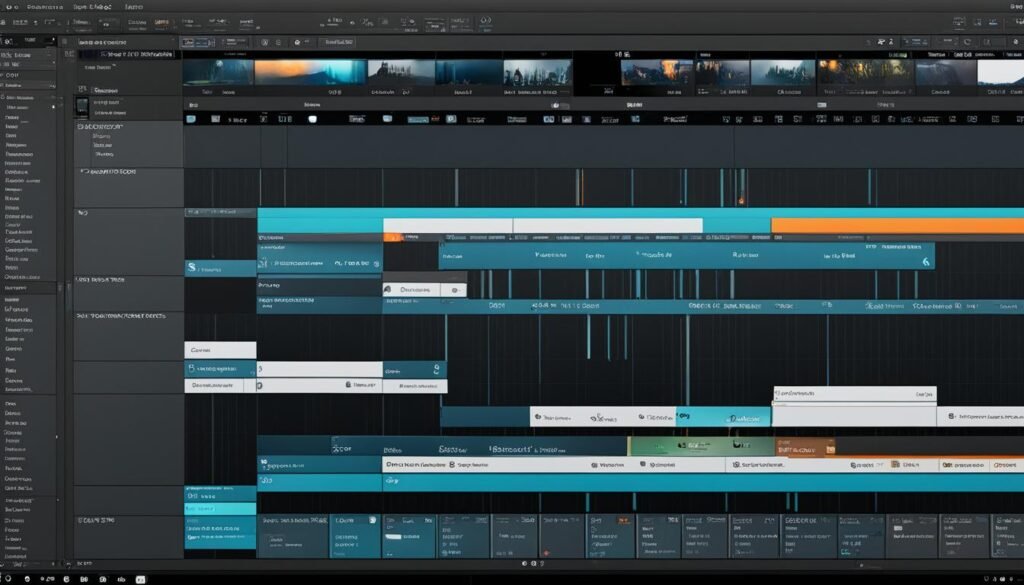
Advanced Editing Techniques for Engaging Shorts
Boost your YouTube Shorts with top editing tricks that grab your viewers’ attention. Use the green screen effect to take your viewers to amazing places. Add text overlays to make your message clear. Mix in the right music and sound effects to make your stories more emotional.
Green Screen Effect
The green screen effect lets you change your background easily. Add a pro look or a fun twist to your Shorts. Try out different backgrounds like beautiful landscapes, futuristic cities, or animated scenes to keep your viewers hooked.
Text Overlays
Use text overlays to keep your viewers interested and make sure they get your message. Add captions or titles that pop. This can turn your Shorts into a story that grabs attention.
Music and Sound Effects
Boost your Shorts with the right music and sound effects. They can set the mood, highlight important parts, or link scenes smoothly. The right sounds can make your content unforgettable.
Creative Filters and Effects
Get creative with YouTube’s many filters and effects. Try vintage looks or dynamic graphics to make your Shorts stand out. Play around with different styles to find what works best for you.
“The art of creating engaging YouTube Shorts is a blend of creativity, technique, and a deep understanding of your audience. Embrace the power of advanced editing tools to elevate your content and leave a lasting impression.”
Master these editing tricks to make your YouTube Shorts amazing. Reach your audience and get them to engage deeply. Use the platform’s tools to make your content unforgettable.
YouTube Shorts creation tips
Starting with YouTube Shorts, think about how to grab your viewers’ attention. Use strategies for better engagement, optimization, and platform features to make your Shorts stand out.
Grabbing viewers from the start is key. Make your opening hook strong to pull them in quickly. Use simple yet eye-catching backgrounds that focus on your main message. Get your viewers involved by talking to them or adding fun polls or challenges.
Editing is crucial to make your Shorts great. Use creative tools like stitching clips together, changing playback speed, and adding cool filters or music. Keep your Shorts looking consistent to build a strong brand and loyal fans.
Looping videos can make people watch your Shorts more than once. Create content that loops well to keep viewers hooked and increase watch time.
To make your Shorts hit harder, keep up with trending topics, popular music, and viral challenges. Use YouTube’s analytics to see what your viewers like and adjust your strategy. Use hashtags to help more people find your Shorts.
By following these YouTube Shorts best practices, you can make the most of this exciting platform. Boost viewer engagement and video optimization for your content strategy. Use Shorts’ creativity and flexibility to win over your audience and improve your content.
Optimizing Your Shorts for Maximum Impact
To make YouTube Shorts that grab your audience’s attention, focus on a few key strategies. Start by hooking viewers right from the start. Try using dynamic openings, interesting visuals, and hooks that grab attention from the first second.
Learning how to edit videos is key for making your Shorts the best they can be. Make sure your content moves fast and looks great. Use text overlays, filters, music, and sound effects to make your Shorts stand out and improve the viewer’s experience.
Creating Looping Videos
Creating Shorts that loop can really help keep viewers coming back for more. These videos let people watch your content over and over. Try different loop techniques like cuts and transitions to keep your Shorts interesting and engaging.
| Aspect Ratio | Video Length | Hashtag Recommendation |
|---|---|---|
| Vertical (9:16) or Square (1:1) | 15 to 60 seconds | #Shorts |
By using these strategies, you can make YouTube Shorts that grab and keep your viewers’ attention. The secret to doing well is to create content that looks great, is creatively edited, and has a big impact.
Promoting and Monetizing Your Shorts
To make your YouTube Shorts more popular, focus on trends and music. Use YouTube’s analytics to improve your Shorts. Make them easy to share and use hashtags wisely. This way, your Shorts can get more views and more people will watch them.
Leveraging Trends and Popular Music
Keep up with the latest trends and music to boost your Shorts. Match your content with what’s currently popular. This helps your Shorts get seen and shared more often.
Utilizing YouTube Analytics
YouTube analytics are key to making your Shorts better. Look at view counts, how long people watch, and how engaged they are. This helps you see what your audience likes best. Then, use this info to make your Shorts even better.
Making Your Shorts Shareable
Make sure your Shorts are fun to watch, informative, and offer real value. When people enjoy your Shorts, they’ll share them with others. This grows your audience and helps you make money from your Shorts.
The Power of Hashtags
Hashtags help people find your Shorts on YouTube. Try out different hashtags, including popular and niche ones. This way, you can reach the right audience and get your Shorts noticed in search results.
Using these tips can help you promote and make money from your YouTube Shorts. Stay updated, create engaging content, and optimize your Shorts for the best results.
Conclusion
YouTube Shorts are a great way for content creators to reach new people, increase engagement, and grow their online presence. By getting good at making, improving, and sharing YouTube Shorts, you can make your content better and grow your YouTube channel and online influence.
Jump into the short-form video trend and use YouTube’s special features and tools. Follow the steps in this guide to make the most of YouTube Shorts for your content. Improve your video hooks, editing skills, and use analytics and ways to make money. Each step helps build a strong and active audience on the platform.
The world of YouTube Shorts is always changing. So, be flexible, try new things, and watch the latest trends and best practices. By always sharing great, interesting short videos, you can become a successful creator and grow your online reach and influence.
FAQ
What are YouTube Shorts?
What are the benefits of YouTube Shorts for content creators?
What tools and features does YouTube offer for Shorts creation?
How do I create YouTube Shorts directly in the app?
Can I use external video editing software to create YouTube Shorts?
What advanced editing techniques can I use to make my YouTube Shorts more engaging?
How can I make my YouTube Shorts more effective and impactful?
How can I promote and monetize my YouTube Shorts?
Source Links
- https://keyhole.co/blog/youtube-shorts/ – Mastering YouTube Shorts: A Comprehensive Guide For Creators
- https://sermonshots.com/blog/step-by-step-using-a-youtube-shorts-maker-like-a-pro/ – Step-by-Step: Using a YouTube Shorts Maker Like a Pro
- https://support.google.com/youtube/answer/12948448?hl=en&co=YOUTUBE._YTVideoType=shorts – Tips to create YouTube Shorts – Shorts
- https://blog.hootsuite.com/youtube-shorts/ – How to Make YouTube Shorts: Everything You Need to Know
- https://uppbeat.io/blog/youtube/youtube-shorts-guide – Free Music For Creators
- https://teachable.com/blog/how-to-make-youtube-shorts-an-in-depth-guide – How to Make YouTube Shorts That Go Viral – Teachable
- https://www.socialpilot.co/youtube-marketing/youtube-shorts – How to Create YouTube Shorts: Your 2024 Guide
- https://support.google.com/youtube/answer/10059070?hl=en – Get started creating YouTube Shorts
- https://support.google.com/youtube/answer/10343433?hl=en&co=GENIE.Platform=Android – Create YouTube Shorts – Android
- https://www.heymarvelous.com/blog/how-to-make-youtube-shorts – How to Make YouTube Shorts: A Creator’s Guide — Marvelous – Create and sell the most beautiful courses and memberships on the Internet
- https://www.framedrop.ai/blog/how-to-make-a-youtube-short – How to Make a YouTube Short: Step-By-Step Guide [2024]
- https://riverside.fm/blog/how-to-make-youtube-shorts – How to Make YouTube Shorts: 101 Guide to Becoming an Expert
- https://medium.com/@shane_barker/how-to-create-engaging-youtube-shorts-from-scratch-444be8ef9584 – How to Create Engaging YouTube Shorts From Scratch
- https://freshlearn.com/blog/create-youtube-shorts/ – How to Create YouTube Shorts from Existing Videos?
- https://teach.io/blog/how-to-make-youtube-shorts/ – How to Make YouTube Shorts: Crafting Engaging Short-form Content – Teach.io Blog: Expert Insights on Online Learning & Trends
- https://podsqueeze.com/blog/how-to-make-youtube-shorts-videos/ – How to make Youtube Shorts videos – Everything you need to know
- https://fliki.ai/blog/how-to-viral-youtube-shorts – How to Make YouTube Shorts Go Viral – Fliki
- https://www.linkedin.com/pulse/copy-complete-guide-youtube-shorts-macrohype-lnduf – Complete Guide To YouTube Shorts
- https://www.feisworld.com/blog/12-youtube-shorts-tips-and-tricks – 12 YouTube Shorts Tips And Tricks Every Creator Should Know (2023) | Feisworld
- https://zubtitle.com/blog/how-to-optimize-your-videos-for-youtube-shorts – How to Optimize Your Videos for YouTube Shorts – Zubtitle.com
- https://later.com/blog/youtube-shorts/ – 10 Ways To Get More Views on YouTube Shorts | Later
- https://tagembed.com/blog/youtube-shorts-for-business/ – Effective Strategies to Use YouTube Shorts for Small Business
- https://mailchimp.com/resources/how-to-make-money-with-youtube-shorts/ – Monetizing YouTube Shorts: A Guide for Businesses | Mailchimp
- https://blog.hootsuite.com/youtube-shorts-monetization/ – YouTube Shorts Monetization Guide [How Much Can You Make?]
- https://www.thesocialskinny.com/how-to-create-viral-youtube-shorts/ – Tips from Successful Creators – The Only Social Media Blog You Need
- https://medium.com/@ceo_77135/mastering-the-art-of-youtube-shorts-a-comprehensive-guide-d7eacf03288f – Mastering the Art of YouTube Shorts: A Comprehensive Guide
- https://digitalnomadcafe.com/blog/how-to-make-a-compelling-youtube-short/ – How to Make a YouTube Short: Step-by-Step Guide – Digital Nomad Cafe Podcast